How to Sync Meta Ads Data to BigQuery: 4 Methods Compared
Meta Ads Manager is built for running campaigns, not for keeping your reporting history. Discover the 4 ways to get Meta Ads data into BigQuery and how to set it up in minutes with Unite.


Introduction
Sooner or later, every team running Meta ads wants something Ads Manager can't give them: Meta spend next to Shopify revenue, more than a year of history, or Meta, Google and TikTok in one report. All three need the data somewhere else.
For most marketing teams, BigQuery is the natural home, since the rest of the stack is already Google. The question is how to get the data there, and in January 2026 that question got more urgent.
Meta now limits how far back you can go
On 12 January 2026, Meta tightened what the Ads Insights API returns. Two changes matter for anyone building reports:
Shorter retention for some breakdowns.
Breakdowns of unique-count fields such as unique_actions and cost_per_unique_action_type, and hourly breakdowns, are now limited to 13 months. Frequency breakdowns are available for 6 months. Total values for standard fields remain available for up to 37 months.
Fewer attribution windows.
The 7-day view-through and 28-day view-through windows stopped returning data. The 1-day click, 7-day click, 28-day click, 1-day engaged view and 1-day view windows remain.
The part that catches teams out is how this reportedly fails. Requests outside the window return empty data sets rather than errors, so a report can quietly show zeroes instead of breaking visibly.
If you rely on unique reach, frequency or hourly data, the history the API can give you now has an expiry date. Once that data is in BigQuery, it stays for as long as you keep it, whatever Meta changes next.
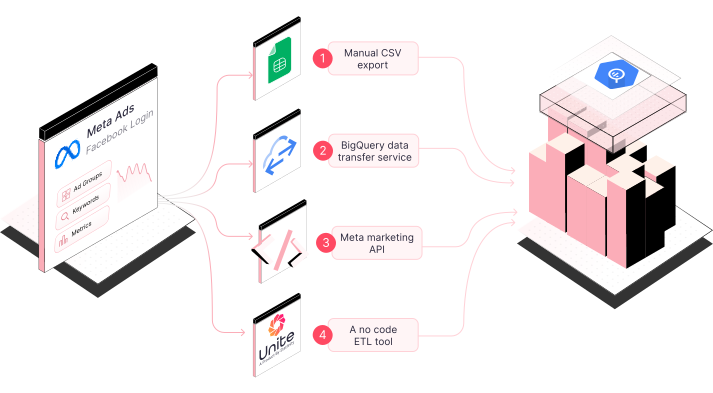
The four ways to get Meta Ads data into BigQuery
1. Manual CSV export
Export a CSV report from Ads Manager and upload the file to BigQuery.
Free, and fine for a one-off analysis. As a recurring process it falls apart quickly: someone has to remember, the columns shift when the report changes, and you end up with a folder of near-identical CSVs that nobody trusts. It also does nothing about retention, because you only have what someone remembered to export.
2. BigQuery Data Transfer Service (Google's native connector)
BigQuery has a built-in Facebook Ads connector, generally available since November 2025. It loads a fixed set of tables covering ad accounts, ad insights and conversion actions. It is not free: since it left preview, it is billed by consumption, at around $0.06 per slot-hour in Google's US region. Google suggests planning for up to about $1.20 per hour of transfer run time, which for a daily Meta transfer is usually modest.
It is a reasonable choice for a team with an engineer to look after it, but it comes with work attached. You need to create a Meta developer app and generate a long-lived access token, which expires every 60 days and has to be renewed by hand; miss the renewal and the transfer stops. Refreshes run at most daily, the tables arrive raw for you to model, and it covers Meta only, so blending with other platforms is a separate job.
3. The Meta Marketing API
Build your own pipeline on Meta's Marketing API, using its Ads Insights endpoint, which is where Meta serves ad performance data.
This gives you complete control over fields, breakdowns and schedules. You also own everything else: the developer app, tokens and permissions, pagination, rate limits, retries, and API version deprecations that arrive on Meta's schedule rather than yours. Then there is the modelling, which with Meta is not trivial, as we explain below.
4. A no-code ETL tool
A tool like Unite sits between Meta and BigQuery. You connect your ad accounts, choose the reports you want, and the data lands in BigQuery on a schedule and keeps landing.
You are not writing or maintaining code, and pagination and rate limits are handled for you. Unite also renews the Meta access token automatically before it expires, so there is no 60-day renewal to remember and no transfer that quietly stops. And the same tool brings in Google Ads, Shopify and your other sources, so everything arrives in one place in a consistent shape. For most marketing and e-commerce teams, the engineering time saved is worth more than the control given up.
How to sync Meta Ads to BigQuery with Unite
Before you start, connect BigQuery under Destinations in Unite, so it is available to pick when the pipeline asks.
- Create a pipeline and choose Meta Ads as the source. Give it a name you will recognise later.
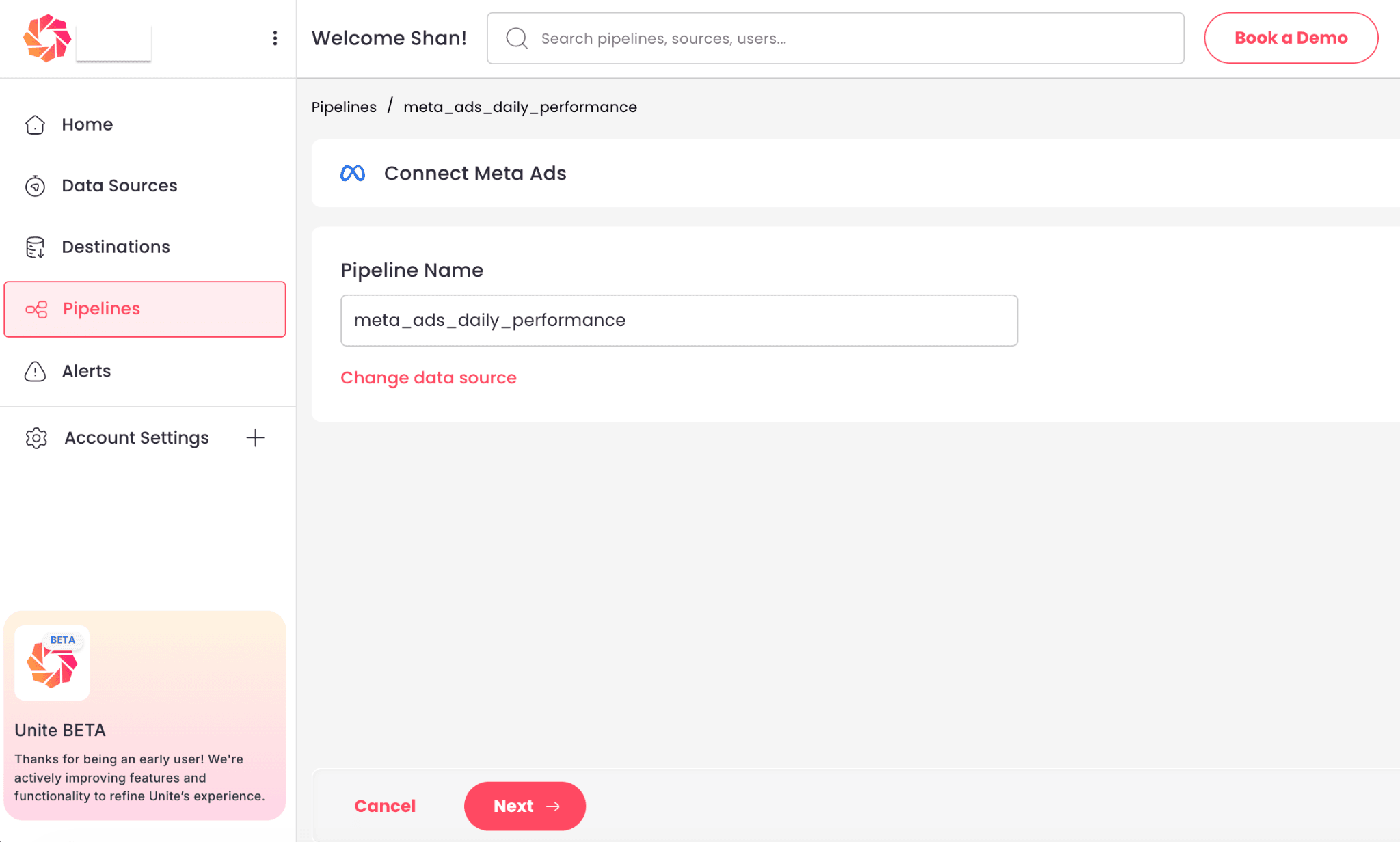
Add your credentials. Authorise the Meta login that has access to the ad accounts you want to report on.
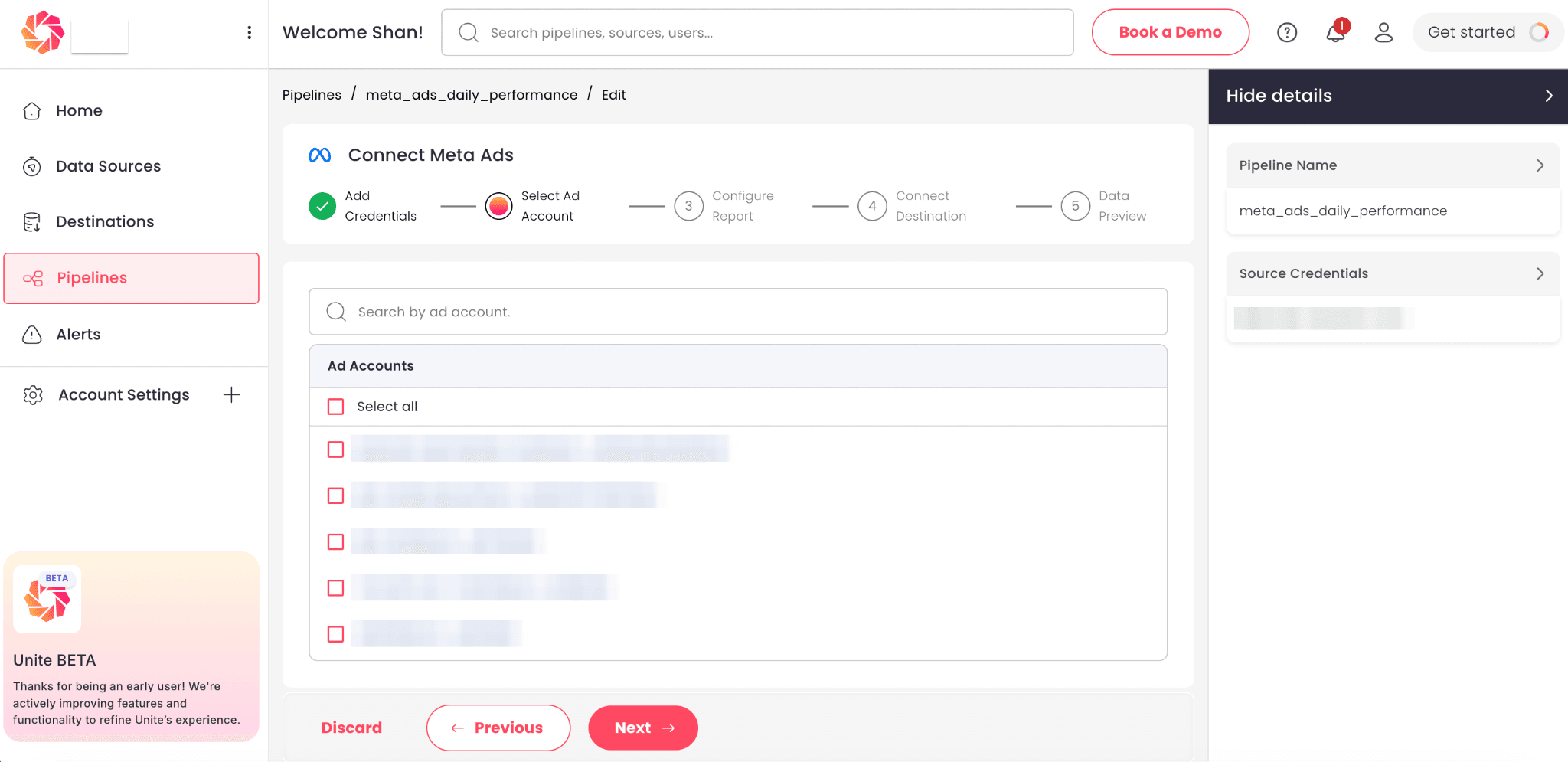
Select accounts. Tick the ad accounts this pipeline should pull from.
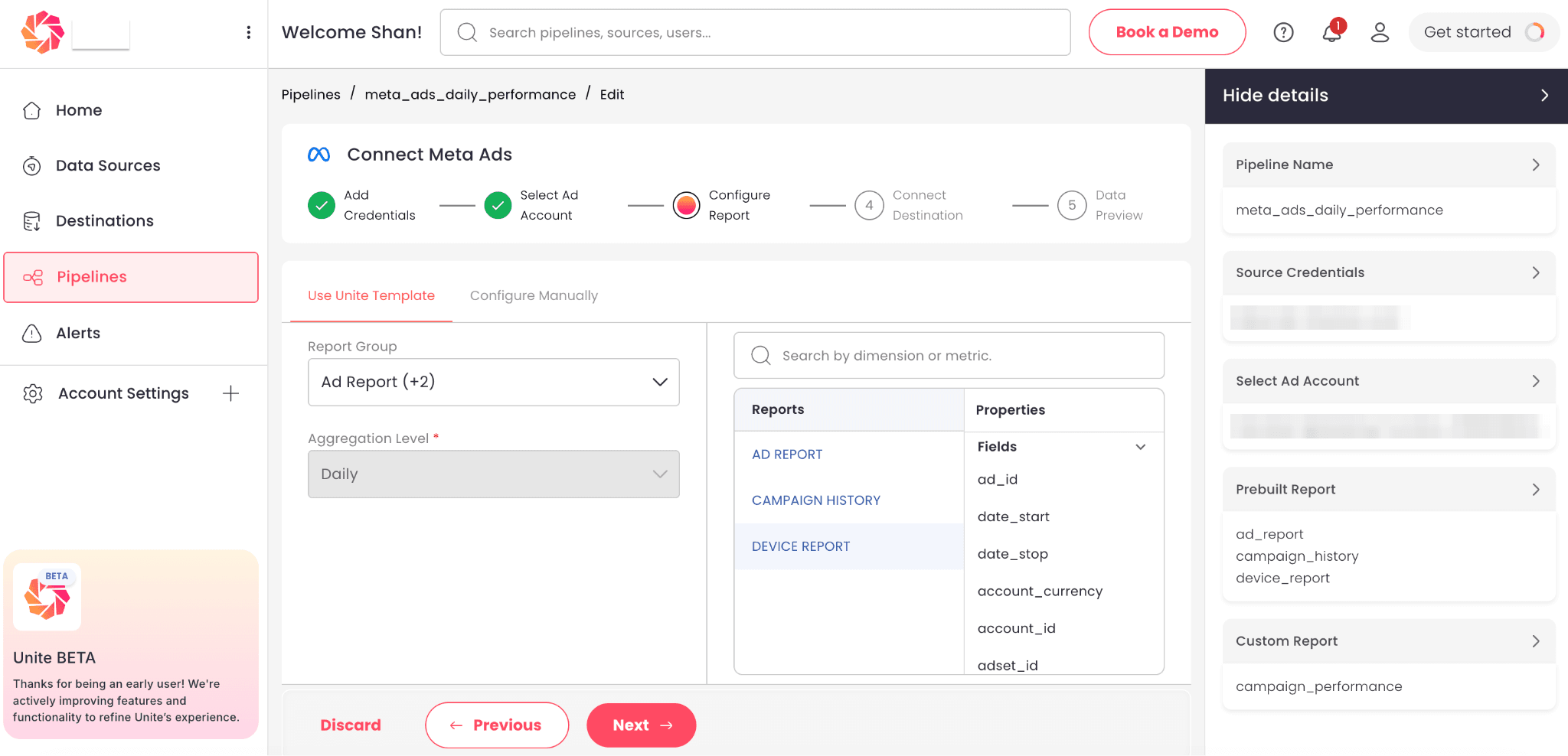
- Configure the report. Start with a pre-built report, or build a custom one from your own choice of fields.
- Connect the destination. Choose the BigQuery destination you set up earlier.
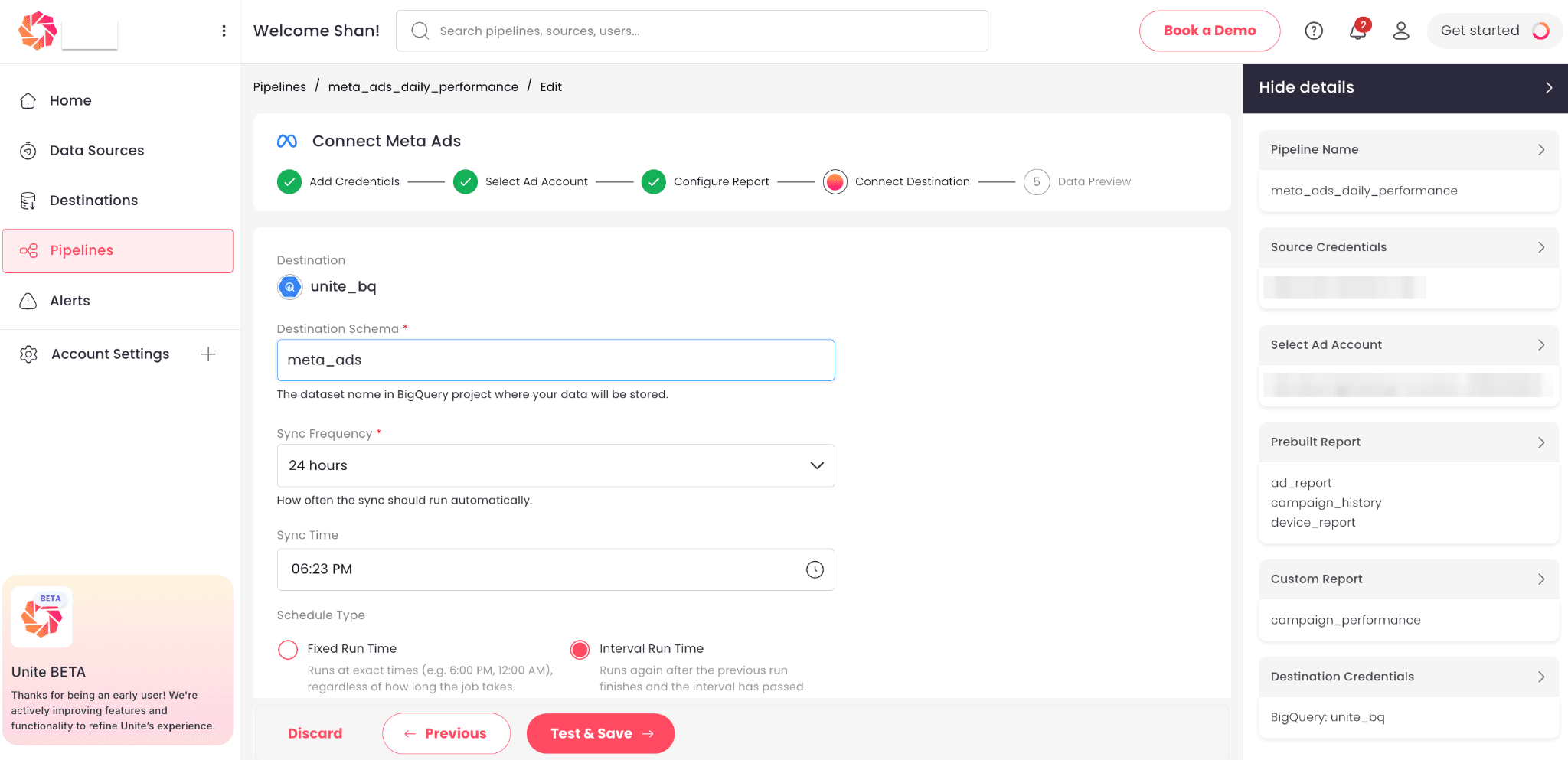
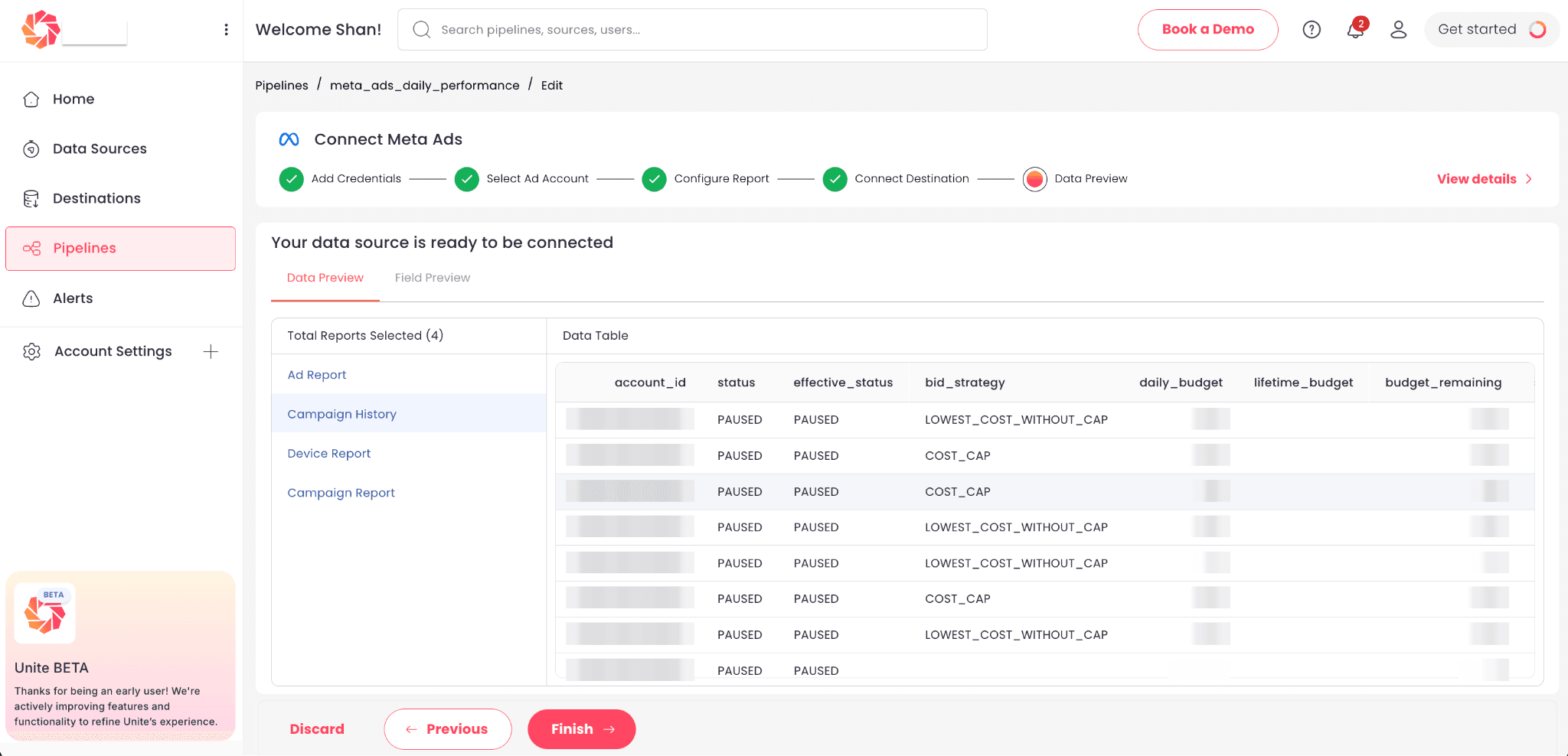
- Preview and save. Check the data preview, then click Finish. The pipeline starts running and each sync appears in its history.
What makes Meta Ads data tricky
This is the part generic guides skip, and it is where the time actually goes, whichever method you choose.
Conversions are nested.
Meta returns actions and action_values as arrays, with one entry per action type inside each record. Getting from that to a column called purchases means unnesting and pivoting, not selecting a field. Decide early which action types you care about.
Attribution is a setting, not a fact.
The same purchase can be counted differently depending on the attribution window. If your report does not state which window it uses, two people will produce two different revenue figures from the same table, and both will be right.
Meta revenue will not match Shopify.
By default, Meta's API reports a conversion on the day of the ad impression, not the day of the purchase, while Shopify records it on the day of the order. You can change this with the action_report_time setting, but the default is easy to miss. Add view-through attribution and the gap widens. This is normal, not a bug, and in our experience it is one of the first questions a Meta dashboard generates. Having both sources in BigQuery lets you show the gap by day instead of arguing about it.
Spend is in the account currency.
Unlike Google Ads, which reports cost in micros, Meta reports spend in the ad account's own currency. If you run accounts in several currencies, convert at load time or your totals will quietly add dollars to euros.
Recent numbers keep changing.
Conversions keep arriving after someone sees or clicks the ad, so the last few days are incomplete until the attribution window closes. A pipeline that only ever appends will drift away from Ads Manager. Re-fetch a trailing window of recent days on every run and replace those rows rather than appending.
What to do once the data is in BigQuery
Blend it with your other sources.
Meta next to Google Ads and Shopify in one place is the reason to do this. Standardise date and campaign fields at load time so the joins are simple later.
Build the reconciliation view.
One query that puts Meta-reported revenue next to Shopify revenue by day, with the difference as a column. In our client work it is usually the first thing people ask for.
Keep a permanent archive.
Store a copy of the fields Meta now limits, such as unique reach and frequency, in a table that never gets overwritten. That is your protection against the next API change.
Ask questions of it.
With the data in BigQuery, you can query it in plain English through Claude's BigQuery connector, which we cover in Ask Claude Questions About Your BigQuery Data.
Frequently asked questions
Is there a free way to get Meta Ads into BigQuery?
Only manual CSV exports, which do not scale. Google's native Facebook Ads connector was free during preview, but since becoming generally available it is billed by consumption, usually a small amount for a daily transfer. It also needs a Meta developer app and an access token you renew every 60 days.
How far back can I pull Meta Ads data?
Standard totals are available for up to 37 months. Since January 2026, breakdowns of unique-count fields and hourly breakdowns are limited to 13 months, and frequency breakdowns to 6 months.
Why don't my Meta numbers match Shopify or GA4?
Each platform attributes a sale differently, by date and by window. Meta can credit a conversion to the day of the ad interaction, while Shopify uses the order date. The gap is expected; the fix is showing both side by side rather than picking one.
Why did last week's numbers change?
Conversions keep arriving after the ad click until the attribution window closes. Any pipeline needs to re-fetch recent days, or it will drift from Ads Manager.
Key takeaways
- Google's native data transfer service exists and is inexpensive to run, but it needs a developer app, a token renewed by hand every 60 days, and modelling work.
- Unite renews the Meta token automatically before it expires, so the 60-day renewal is not your problem.
- Meta's January 2026 changes put an expiry date on some historical data, and out-of-range requests reportedly fail silently.
- The hard part is the nesting, the attribution windows and the late-arriving conversions, not the extraction.
- A no-code pipeline handles extraction and scheduling across all your sources, so your team can spend its time on the modelling.
Start your free Unite trial and get Meta Ads into BigQuery today. No card required.
Would you rather have it built for you?
Unite is built by Statfinity, a data and AI team that builds marketing warehouses for e-commerce and agency clients across the US, EU and India. If you want the pipeline, the models and the dashboard delivered rather than assembled, tell us what you need to measure.
BUILD YOUR FIRST DATA PIPELINE
Whether you're migrating from another ETL platform or starting fresh, Unite helps your team launch reliable data pipelines fast. Need a demo, drop us a message below: