How to Connect Google Ads to BigQuery (No-Code Guide)
The Google Ads interface is great for running campaigns but it’s not built for advanced reporting. Discover the 4 ways to get Google Ads data into BigQuery and how to set it up in minutes with Unite.


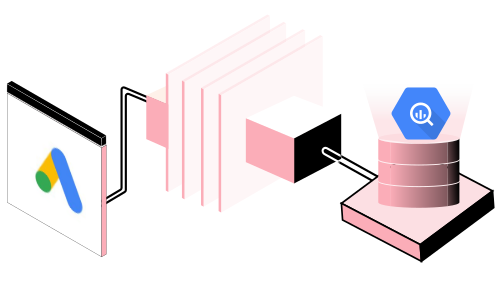
Introduction
The Google Ads interface is great for running campaigns but it’s not built for advanced reporting. Historical data is hard to pull and combining your Google Ads data with platforms like GA4, Meta Ads, or HubSpot often requires manual exports, spreadsheets, and repetitive work.
Moving your Google Ads data into Google BigQuery fixes all of that. You get one place to store years of historical data, combine it with your other marketing channels, and build dashboards that update automatically.
This guide walks through the 4 ways to get Google Ads data into BigQuery, when each one makes sense, and how to set it up in minutes with Unite, a no-code tool.
The four ways to get Google Ads into BigQuery
1. Manual CSV export
You export a CSV report from Google Ads and upload the file into BigQuery. It's free and needs no setup, so it's fine for a one-off analysis. As an ongoing process it falls apart fast: it's manual, easy to get wrong, and you have to repeat it every reporting cycle.
Nobody should run their weekly reporting this way.
2. BigQuery Data Transfer Service (Google's built-in option)
Google offers a native connector through the BigQuery Data Transfer Service, which schedules recurring loads of your Google Ads data into date-partitioned BigQuery tables. It's reliable and comes straight from Google.
The catch is that it lands the data in Google Ads' raw reporting schema, dozens of tables you then have to understand and join with SQL before any of it is usable for reporting. It also requires a BigQuery billing project, refreshes on a daily cadence, and only handles Google Ads, so every other source (Meta, TikTok, GA4) is a separate project. It's a solid choice if you have a data engineer and Google Ads is the only source you care about.
3. Google Ads API (custom pipeline)
If you have engineering resources, you can build directly against the Google Ads API for full control over exactly what you pull and how it's shaped. The trade-off is that you now own that pipeline: authentication, rate limits, schema changes, and error handling all become your team's problem to maintain.
For most marketing teams this is more than they need.
4. A no-code ETL tool (recommended for marketing teams)
A no-code ETL platform like Unite sits between Google Ads and BigQuery and handles the whole thing for you. You authenticate once, pick the metrics and dimensions you actually want, choose BigQuery as the destination, and set a schedule.
No SQL, no API code, no maintenance. And because the same tool connects 100+ other sources, you can bring Meta, TikTok, and GA4 into the same warehouse and finally report across channels.
How to connect Google Ads to BigQuery with Unite
Here's the full no-code setup, start to finish.
Pick your BigQuery destination: Create (or choose) the BigQuery project and dataset where the data will land. See the supported destinations.
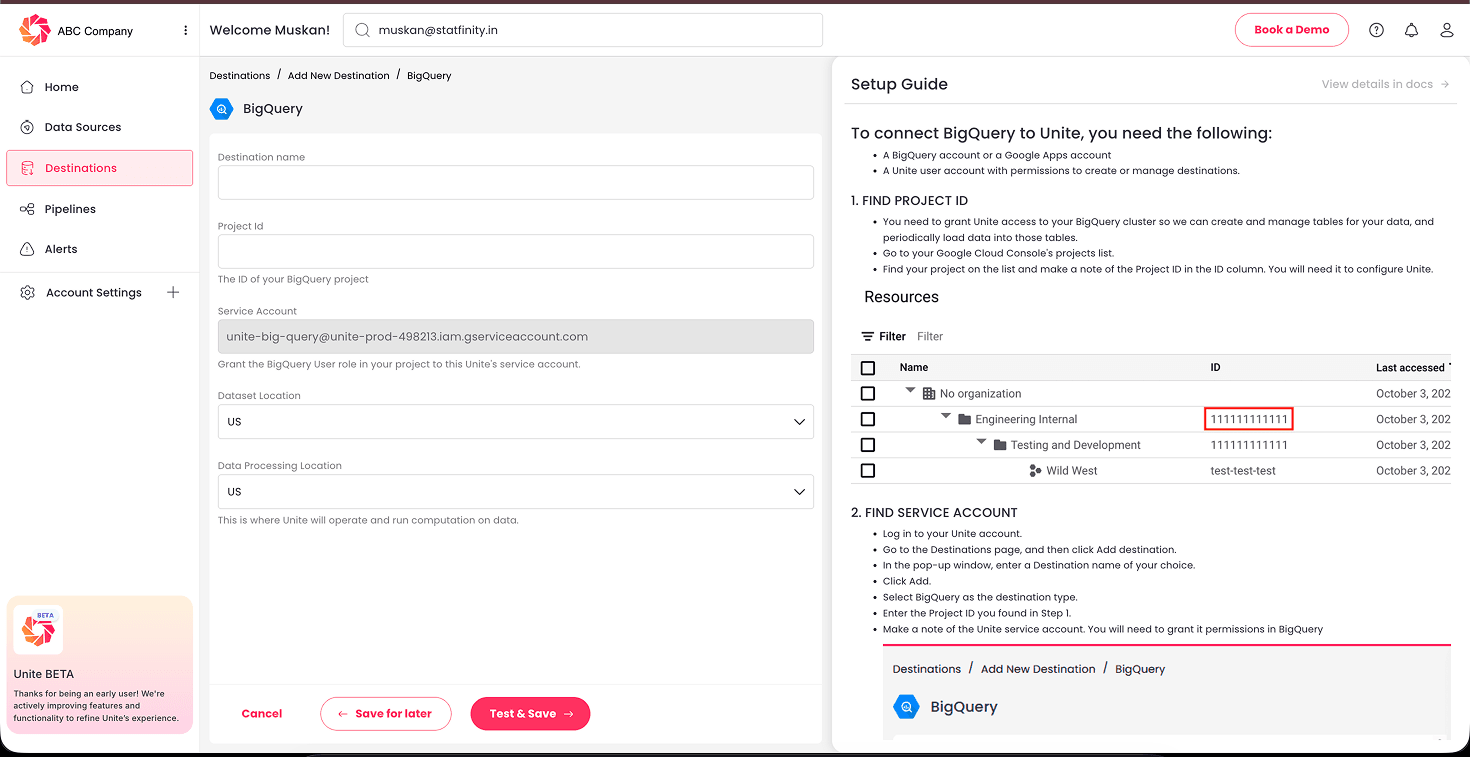
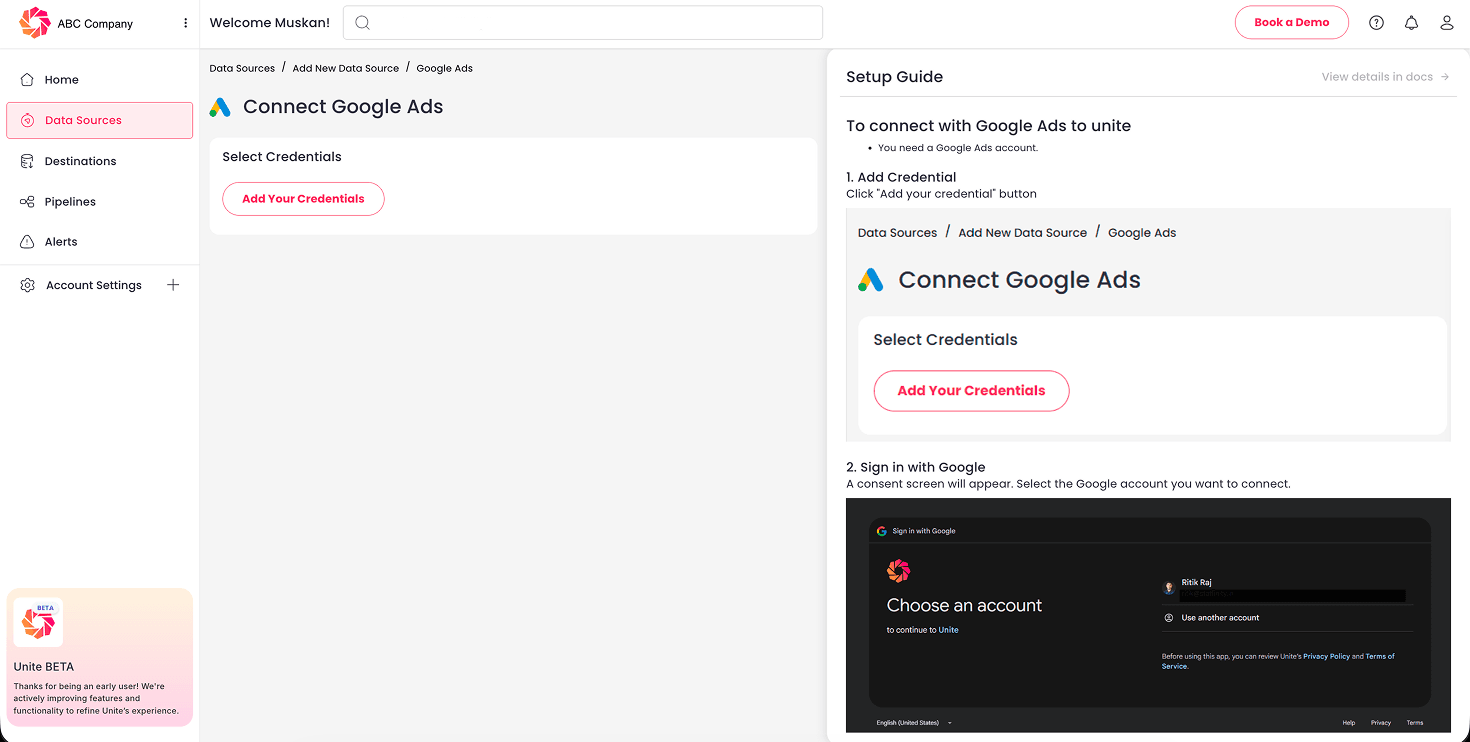
Connect Google Ads in Unite. Authenticate your Google Ads account with a couple of clicks. Unite handles the OAuth and API details.
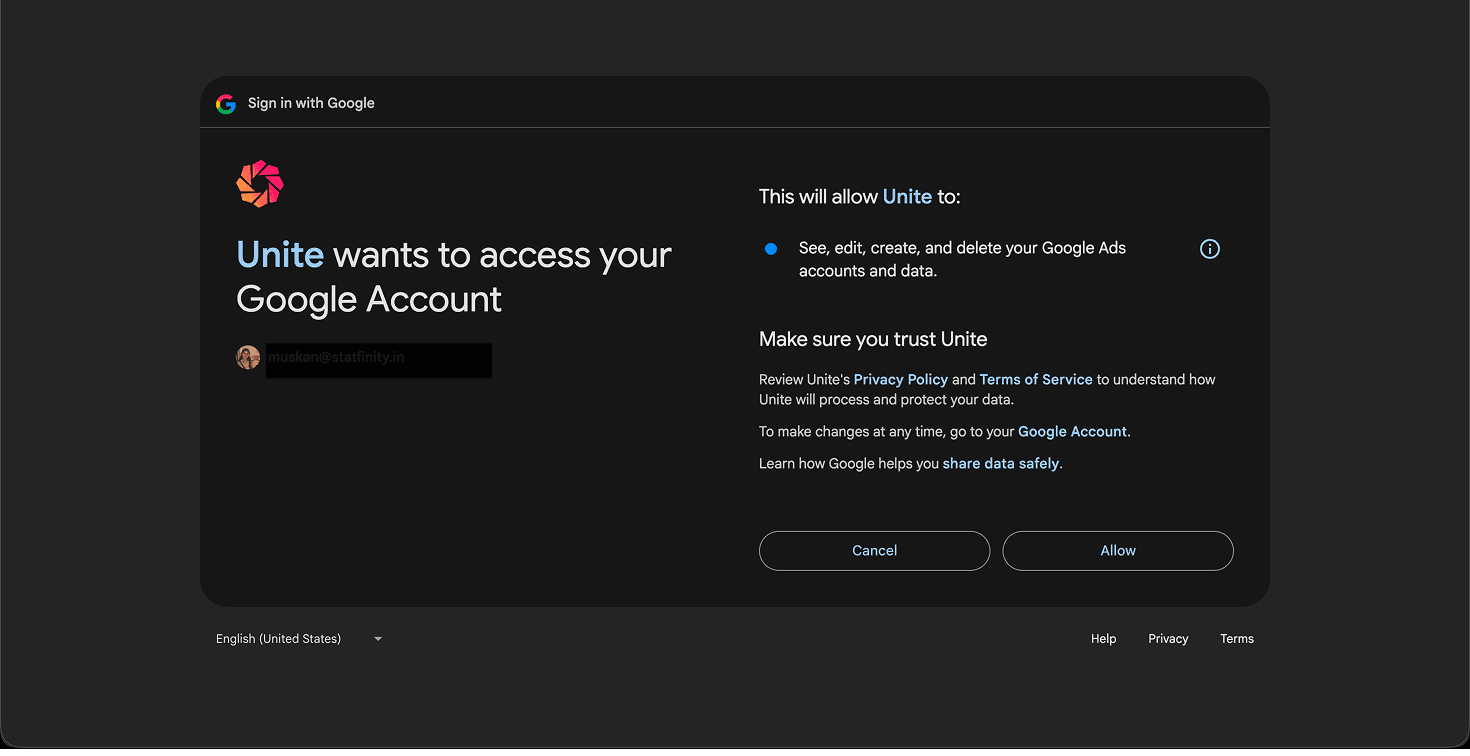
Ensure you allow the necessary permissions to Unite via the consent screen.
Choose your metrics and dimensions. On the next screen, click on “Create a pipeline” and then select the Google Ads account along with exactly the fields you need, campaign, ad group, spend, clicks, conversions, ROAS, and so on, instead of dumping the entire raw schema. You can also choose from pre-built report templates of Unite.
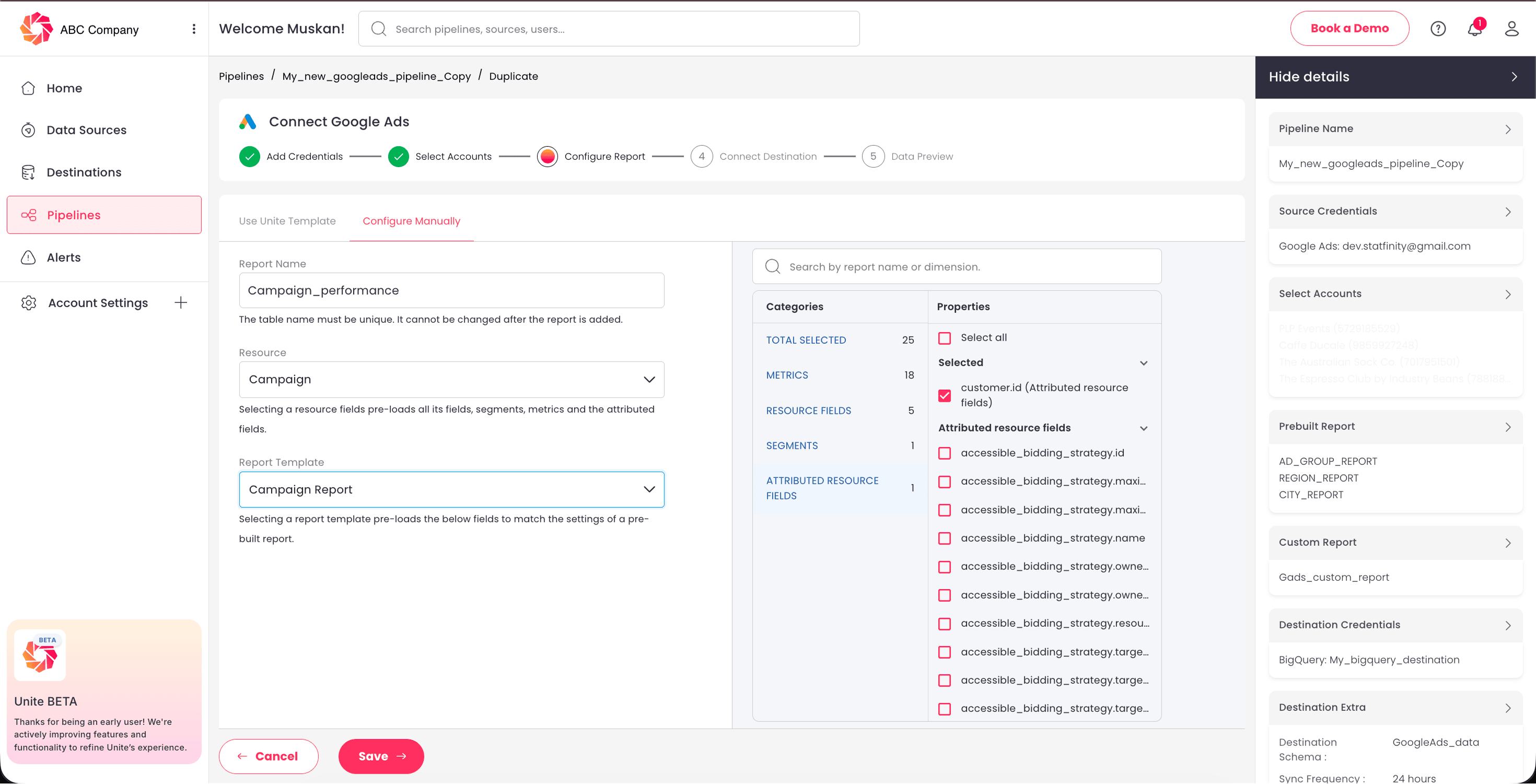
Set BigQuery as the destination. Point the pipeline at your dataset.
Set a sync schedule. Daily, hourly, or whatever your reporting cadence needs. The data stays current on its own.
Build your reports. Connect Looker Studio or Google Sheets to BigQuery and build dashboards that refresh automatically.
That's it. What used to be a weekly export ritual becomes a pipeline you set once and forget.
What to do once your data is in BigQuery?
Getting the data in is really just step one, the real payoff comes after. You can build always-on dashboards in Looker Studio that read straight from the warehouse, so nothing ever gets refreshed by hand again. Pull Meta Ads, TikTok, and GA4 into the same place and you can finally work out your true cross-channel ROAS and see spend and revenue in a single view.
And since raw ad data almost always needs a bit of cleaning before it's report-ready, you'll want a transformation layer, built in the warehouse with SQL or dbt, to standardize your metrics. If you don't have a data team for that part, Statfinity can build it for you so your numbers are consistent from day one.
Key takeaways
- The Google Ads UI is built for managing campaigns, not for reporting, blending channels, or keeping history. BigQuery solves all three.
- There are four ways in: manual CSV (one-offs only), the BigQuery Data Transfer Service (reliable but raw and Google-Ads-only, best with a data engineer), the Google Ads API (full control, high maintenance), and a no-code ETL tool (fastest for marketing teams).
- With Unite you connect Google Ads to BigQuery in minutes, no SQL or API code, and bring your other sources into the same warehouse.
- Once the data lands, connect Looker Studio, blend channels for true ROAS, and add a SQL/dbt transformation layer for clean KPIs.
Want Google Ads in BigQuery without the setup headache? Unite syncs Google Ads and 100+ more sources into BigQuery on autopilot, no code required. Start free (no credit card) or see pricing.
LET’S BUILD SMARTER DATA PIPELINES — TOGETHER.
Whether you're migrating from another ETL platform or starting fresh, Unite helps your team launch reliable data pipelines fast. Need a demo, drop us a message below: